- Evidence or your review
A link is confirmed by evidence or by someone on your team. It is never assumed.
- Originals stay put
Source media and project files stay on your machines. The trail records where they are, not the files.
- Internal only
Public posts are an input. The trail stays inside your team.
Workflow & Intelligence · Traceframe
From the post back to the footage.
Traceframe is a custom engagement. We connect each post your team published to the export, sequence, project and source media that made it, beside your project and social data.

The problem
The answer walks out the door.
A post does well.
Someone asks what it was cut from.
The editor who made it is on another job.
The project is on a drive on a shelf.
Traceframe keeps the answer.
How a trail reads
Five links, one answer.
It starts with what you published.
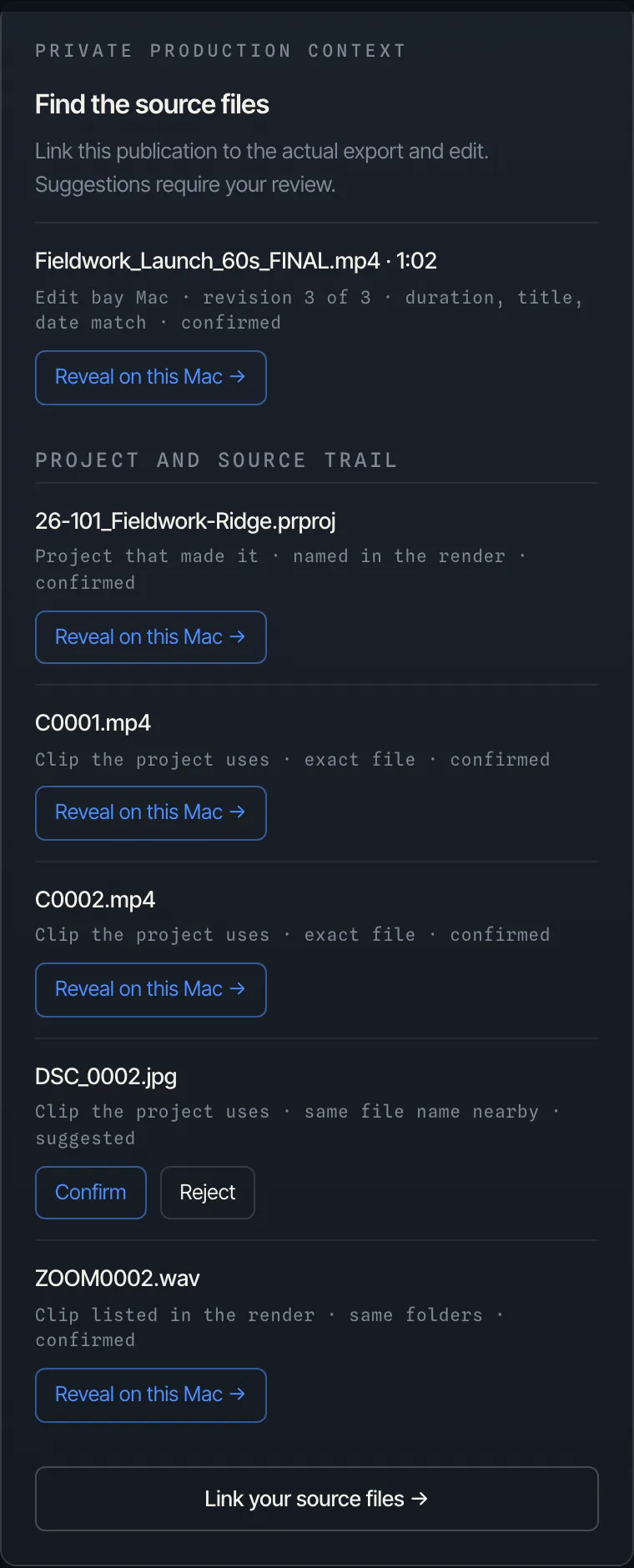
Then the export behind it.
Then the sequence and the project.
Then the footage it was cut from.
And it sits beside your project and social data.
Illustration. Built around your own tools.
How we link
Confirmed, not guessed.
What changes
Questions your team can finally answer.
What was this post cut from?
The export, the sequence, the project and the source clips, in one trail.
Which projects shipped, and how did they do?
What was made beside how it performed, for your team only.
Which footage keeps getting used, and where?
The clips your best work keeps coming back to.

How the engagement runs
Built around your tools, not ours.
- 01We map your sources
Where the media lives, the project tools your team uses, and the accounts you publish to.
- 02We link the trail
Each post is matched to the work behind it, and each match is confirmed.
- 03Your team reads it
Internal views of what was made, what shipped and how it did.
- 04We keep it running
Privately hosted and managed by us, or handed to your team. Your call.
With the rest of Vaultline
One team, three ways in.
Media Nexus
With Media Nexus, the trail runs all the way to the original footage on your own storage.
What Media Nexus isDashboards
Put what Traceframe finds beside production, social, competitor and press.
See dashboardsStart with the archive
$0 upfront, $4,669 if you keep it.
See the Free Build
Questions
Asked plainly.
Is this software we subscribe to?
No. Traceframe is a custom engagement, not SaaS. We set it up around your media, your project tools and your accounts, and scope it with you.
Do our files leave our storage?
No. Source media and project files stay where they are. The trail records where they live.
Do you post for us, or touch our accounts?
No. Public post data is an input. Nothing we build speaks for you in public.
Who hosts it?
Your choice. We host and manage it privately for you, or hand it to your team.
What does it cost?
It is scoped per engagement, so there is no published price. Tell us what you publish and we will scope it with you.
Traceframe
Tell us what you publish and where the footage lives.
We reply by email and scope Traceframe with you.
Talk to us
Custom engagement · scoped with you · for your team only